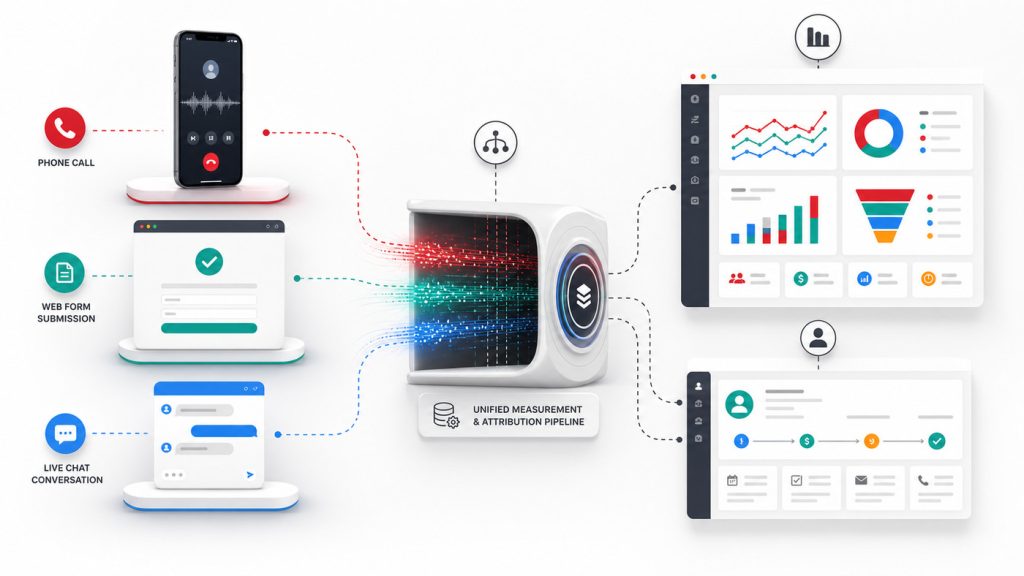
UTM tracking is one of the simplest ways to make marketing more accountable, and one of the easiest ways to damage your reporting if it is handled casually. A clean UTM system tells Google Analytics where campaign traffic came from, which channel sent it, which campaign drove the visit, and which creative, button, email, or link created the click. A messy UTM system creates split channels, duplicate campaigns, unassigned traffic, and reports that make good marketing look weak or weak marketing look profitable.
This UTM tracking guide is written for small businesses that need practical campaign measurement in Google Analytics 4. The goal is not to add random tracking codes to URLs. The goal is to create a repeatable naming system, build clean campaign URLs, verify the data in GA4, connect campaign traffic to key events and revenue, and prevent avoidable attribution mistakes.
Quick Answer: What Is UTM Tracking?
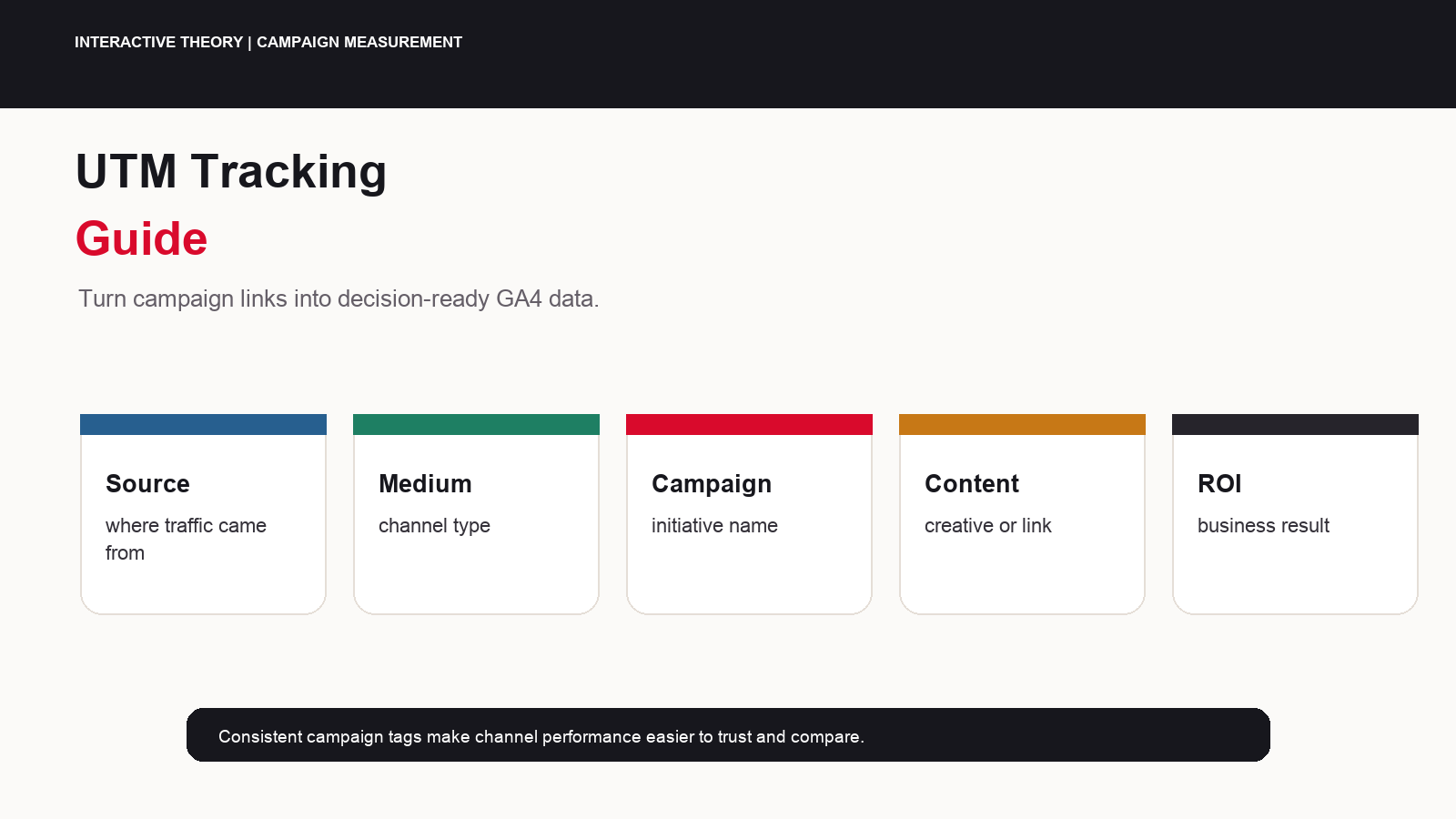
UTM tracking means adding campaign parameters to a destination URL so Google Analytics can identify campaign traffic. The core parameters are utm_source, utm_medium, and utm_campaign. Additional parameters such as utm_id, utm_content, and utm_term add more detail. When a user clicks a tagged link, Analytics receives the parameter values and makes them available in acquisition and campaign reports.
Why UTM Tracking Matters
Google explains that campaigns and traffic sources are the ad campaigns, search engines, social networks, and other sources that send users to a property. Campaign data moves through collection, processing, and reporting before it appears in Analytics reports. UTM parameters are one of the ways campaign data is collected. That makes UTM discipline a core part of marketing operations, not a cosmetic reporting detail.
Small businesses often run campaigns across email, organic social, paid social, partner links, QR codes, newsletters, sponsorships, directories, and offline promotions. Without UTM tracking, many of those clicks collapse into broad source and medium buckets that do not answer the real question: which campaign produced qualified demand?
Strong UTM tracking helps answer management questions: Which email series drove booked calls? Which LinkedIn ads produced qualified leads? Which partner link created revenue? Which QR code generated traffic but no conversions? Which newsletter placement deserves renewal?
The UTM Parameters That Matter
Google’s URL builder documentation lists campaign parameters including utm_id, utm_source, utm_medium, utm_campaign, utm_source_platform, utm_term, utm_content, and utm_creative_format. For most small businesses, the operational core is source, medium, campaign, campaign ID, content, and term.
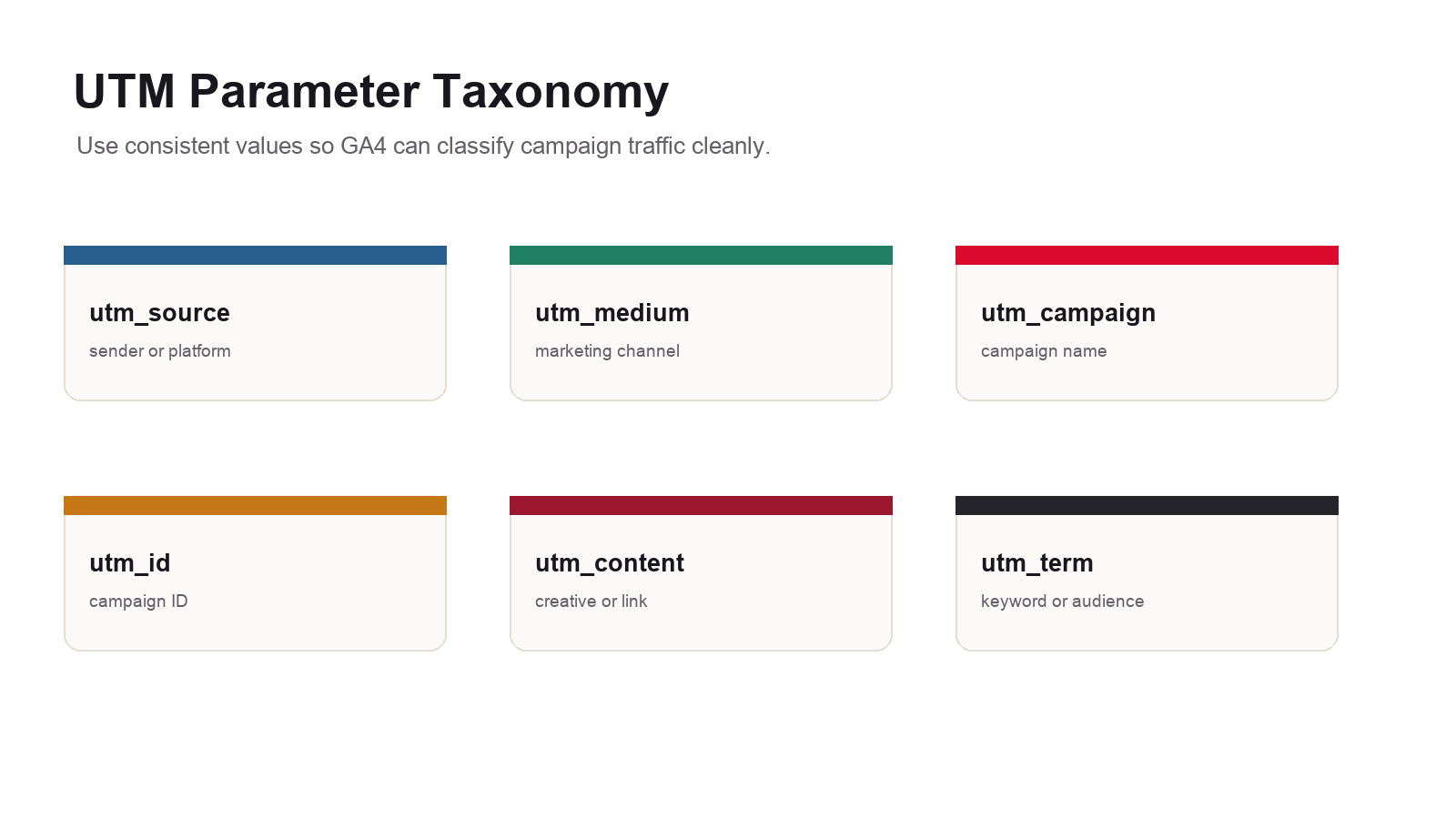
| Parameter | Use it for | Example |
|---|---|---|
| utm_source | The platform, sender, publication, partner, or traffic source. | mailchimp, linkedin, chamber_newsletter, facebook |
| utm_medium | The channel type or marketing medium. | email, paid_social, referral, cpc, display |
| utm_campaign | The named campaign, promotion, offer, or initiative. | spring_offer, q3_webinar, retention_push |
| utm_id | A durable campaign ID used for cost import, matching, and governance. | 2026_q3_webinar_01 |
| utm_content | The specific creative, button, link, placement, or variation. | hero_cta, footer_link, image_ad_a |
| utm_term | Paid keyword, audience, topic, or targeting detail when needed. | branded_keyword, remarketing, home_services |
The UTM Tracking Checklist
- Decide what campaigns need tagging: Tag email, paid social, organic social links you control, partner placements, QR codes, sponsorships, influencer links, and non-Google paid campaigns.
- Do not manually tag internal links: Internal UTM links can reset attribution and pollute campaign reports.
- Create a naming convention: Define approved source, medium, campaign, content, term, and campaign ID values.
- Use lowercase values: GA4 treats different values as different strings, so inconsistent capitalization fragments data.
- Set all relevant parameters: Google strongly recommends setting relevant UTM parameters, especially source, medium, campaign, campaign ID, and source platform when manual tagging is used.
- Use a URL builder: Build campaign links with a structured tool instead of typing long URLs manually.
- Test every URL: Confirm the link resolves, parameters remain intact after redirects, and the landing page loads correctly.
- Verify in GA4: Check traffic acquisition, source / medium, campaign, and landing page reporting after test clicks and campaign launch.
- Connect to business outcomes: Compare sessions and key events against leads, calls, sales, and CRM records.
- Document the link: Store final URLs, campaign owner, launch date, channel, creative, and expected report dimensions.
Build a UTM Naming Convention Before Launch
Most UTM problems come from inconsistent naming. The same email platform might appear as mailchimp, MailChimp, email, newsletter, and mc. The same campaign might appear as spring_sale, spring-sale, Spring Sale, and springsale. Analytics will not know those values mean the same thing. Your team has to decide before links launch.
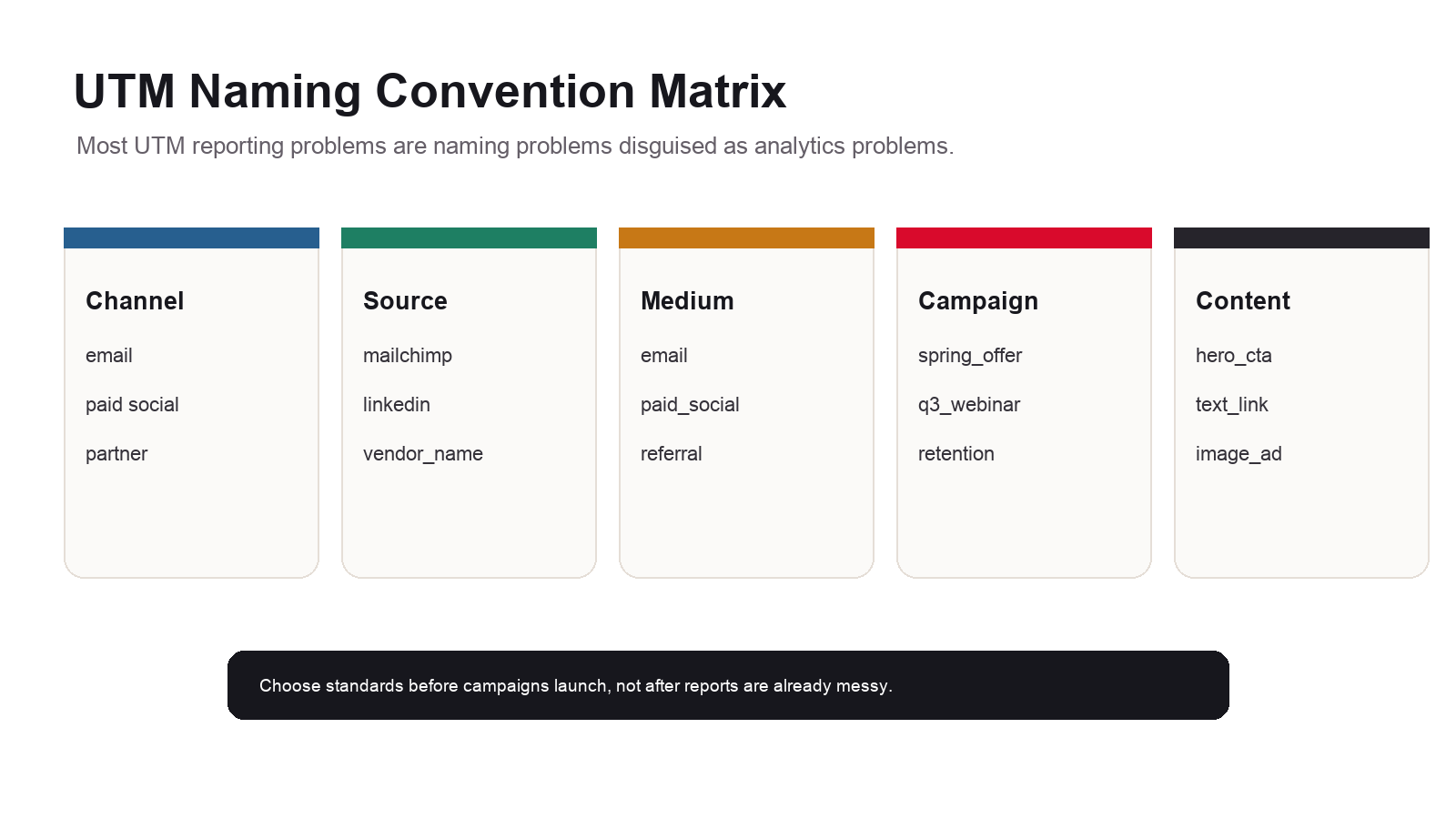
- Use lowercase: Choose
linkedin, not a mix ofLinkedIn,linkedin, andlinked_in. - Use one separator: Pick hyphens or underscores and use the standard consistently.
- Avoid spaces: Spaces make URLs harder to review and often become encoded.
- Keep campaign names durable: A campaign value should still make sense months later.
- Separate source from medium: Source is the sender or platform. Medium is the channel type.
- Create approved values: A dropdown-based spreadsheet or link builder reduces improvisation.
| Scenario | Good source | Good medium | Good campaign |
|---|---|---|---|
| Monthly newsletter | mailchimp | monthly_newsletter | |
| LinkedIn paid ad | paid_social | q3_lead_gen | |
| Partner directory link | partner_name | referral | partner_directory |
| QR code on flyer | print_flyer | qr | summer_event |
| Podcast sponsorship | podcast_name | sponsorship | brand_awareness |
How to Build Campaign URLs
Google’s Campaign URL Builder and GA4 Campaign URL Builder are the safest starting points for most teams. The workflow is straightforward: enter the destination URL, fill in the campaign parameters, copy the generated URL, test it, and use that exact URL in the campaign asset. For recurring campaigns, I recommend storing the generated link in a campaign tracker so the team has one source of truth.
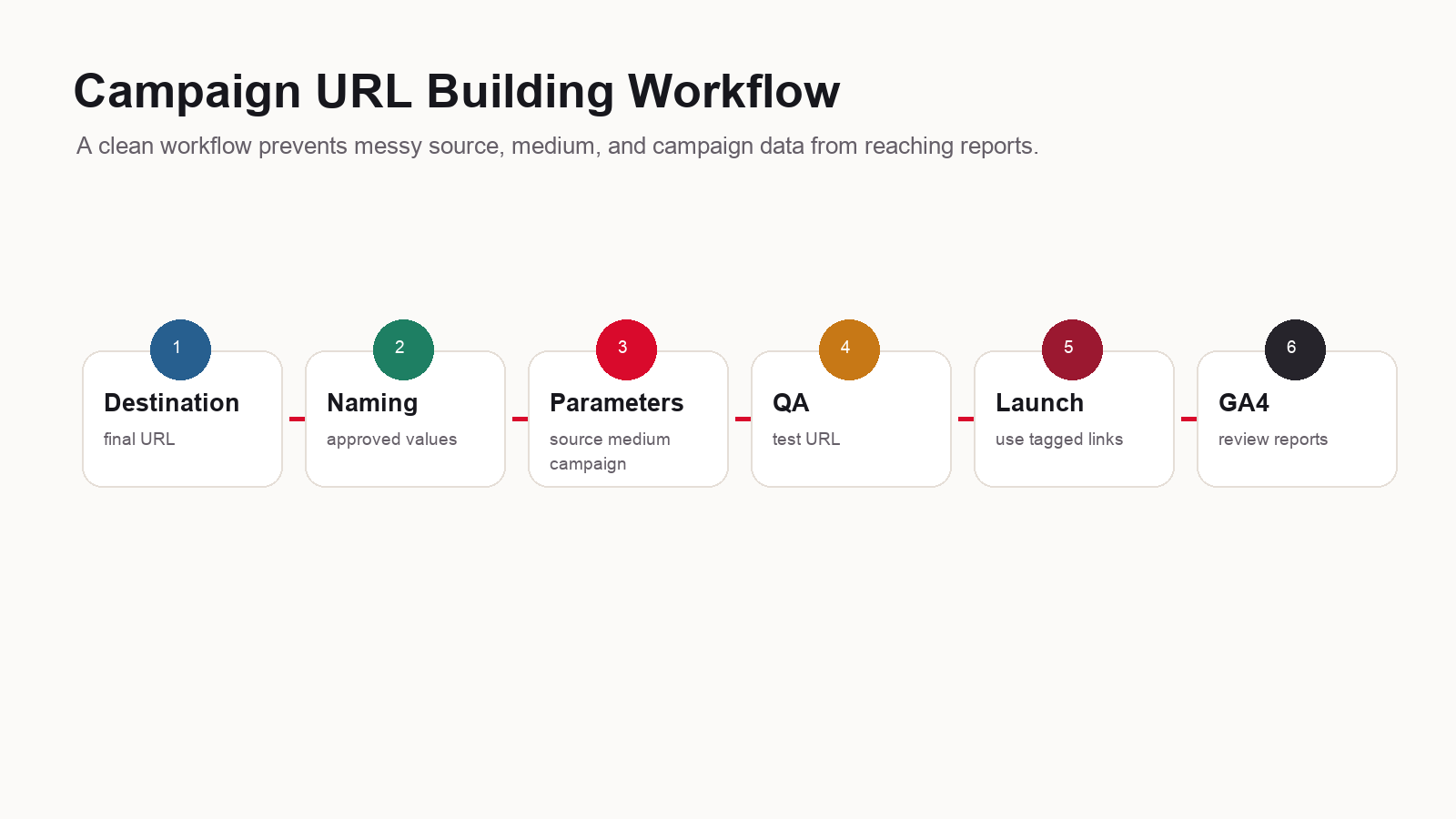
A tagged URL might look like this:
https://theorypixel.com/services/ai-analytics-reporting-phoenix-peoria-az/?utm_source=mailchimp&utm_medium=email&utm_campaign=q3_webinar&utm_id=2026_q3_webinar_01&utm_content=hero_cta
That URL tells GA4 the visitor came from Mailchimp, through email, as part of the Q3 webinar campaign, with a durable campaign ID, from the hero CTA placement. The values are short, readable, and report-friendly.
Where to Find UTM Data in GA4
Google says UTM parameter values are visible in the Traffic acquisition report after a user clicks a tagged referral link. In GA4, the practical starting point is Reports, Acquisition, Traffic acquisition. From there, use dimensions such as session source / medium, session campaign, first user source / medium, or landing page depending on the question.
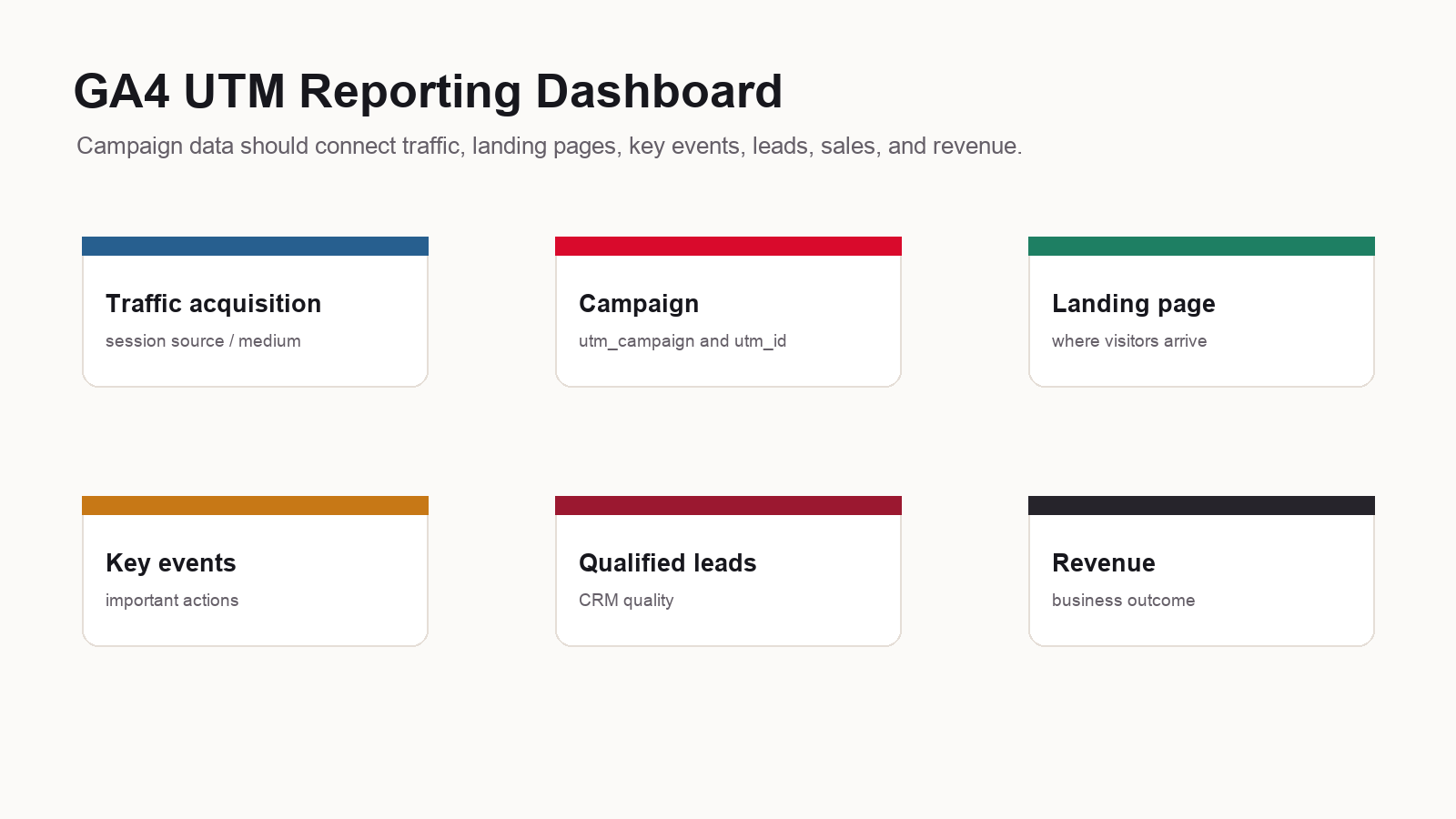
| GA4 question | Useful dimension | Useful metric |
|---|---|---|
| Which channels drove visits? | Session source / medium | Sessions, engaged sessions, engagement rate |
| Which campaigns drove action? | Session campaign | Key events, event count, total revenue |
| Which landing pages worked? | Landing page + query string | Key event rate, conversions, revenue |
| Which first touch created users? | First user source / medium | New users, key events |
| Which campaign content worked? | Session manual ad content | Key events, revenue, qualified leads |
| Which keyword or audience worked? | Session manual term | Engagement, key events, revenue |
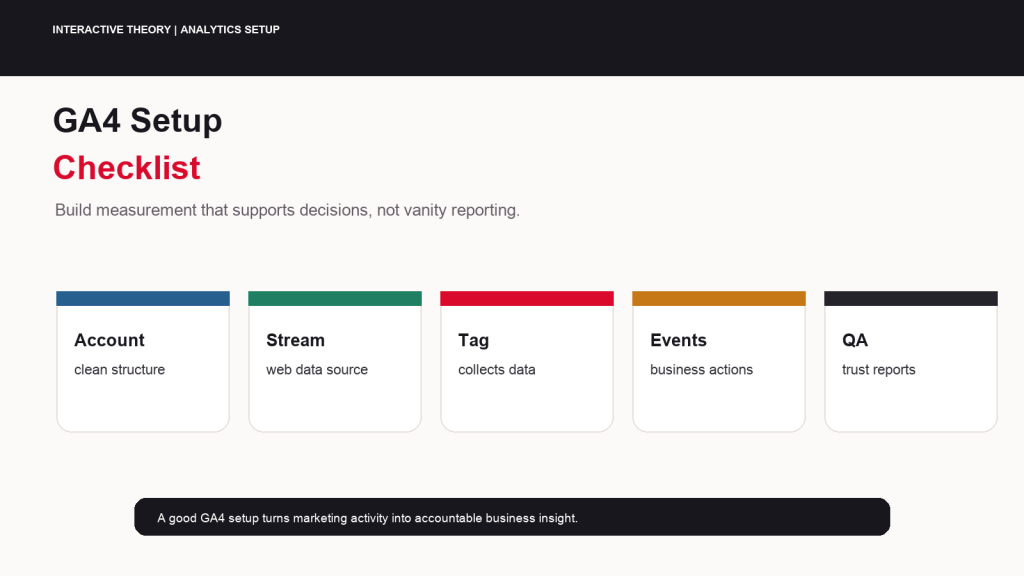
UTM reporting is only useful if your GA4 implementation is sound. If the account needs cleanup, review the GA4 setup checklist and the Google Tag Manager setup guide before relying on campaign reports for budget decisions.
Manual Tagging vs Auto-Tagging
Manual UTM tagging is essential for channels that do not automatically pass platform-specific click data into GA4. Google Ads is different. When Google Ads and GA4 are linked, auto-tagging can provide platform-specific dimensions and more detail than manual tagging. Google’s manual-tagging documentation says that if manual tagging and auto-tagging are used together, source, medium, and other traffic-classification dimensions use the auto-tagged values.
The practical rule: use Google Ads auto-tagging for Google Ads when the account is linked correctly. Use UTMs for email, organic social, paid social platforms outside Google’s auto-tagging system, partner campaigns, QR codes, influencer campaigns, sponsorships, and other links you control.
UTM Quality Assurance Before Launch
UTM QA is cheap before a campaign launches and expensive afterward. Once traffic is in GA4 under inconsistent values, you can report around the problem, but you cannot cleanly rewrite history inside standard reports. That is why every campaign URL should be reviewed before it is used.
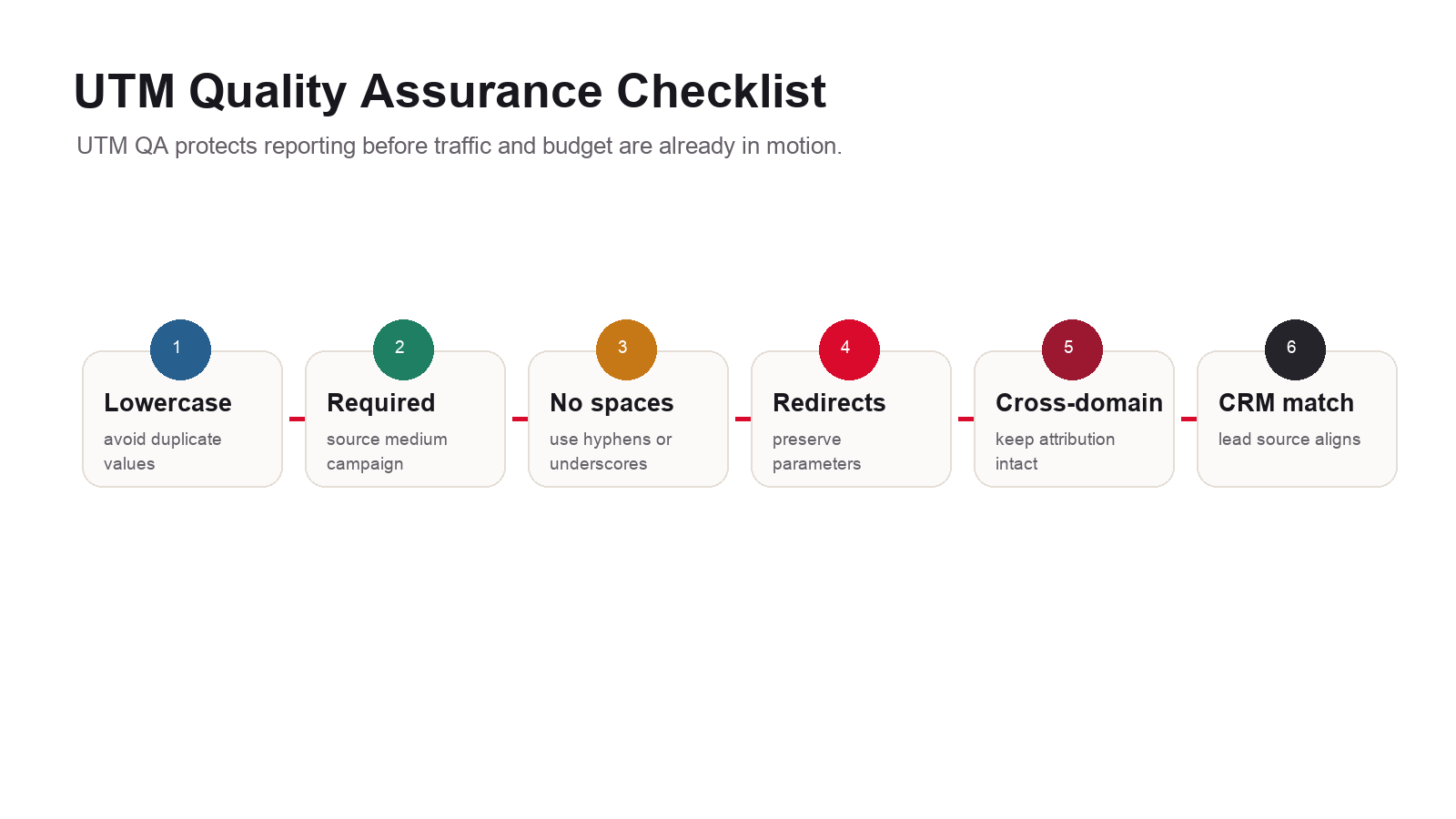
- Check required fields: Confirm source, medium, and campaign are present, and include campaign ID where governance or cost import matters.
- Check capitalization: Keep values lowercase unless there is a documented exception.
- Check spacing: Avoid raw spaces and inconsistent encoding.
- Check redirects: Make sure redirects preserve the parameters.
- Check cross-domain journeys: Configure cross-domain measurement when the journey moves across domains that should be treated as one user journey.
- Check GA4: Use realtime and acquisition reporting to confirm traffic arrives under expected values.
- Check CRM: Confirm lead records retain campaign source details where possible.
Google’s troubleshooting documentation notes that incomplete or incorrect UTM parameters can produce (not set) values in reports. That is a strong argument for required fields, URL QA, and naming controls.
How to Report UTM Campaign ROI
Campaign reporting should not stop at sessions. Sessions tell you traffic happened. They do not tell you whether the campaign created qualified demand. A useful UTM report moves from channel and campaign to landing page, key events, leads, sales opportunities, customers, and revenue.
| Reporting layer | What to review | Decision it supports |
|---|---|---|
| Traffic | Sessions, users, engagement, source / medium. | Did the campaign drive qualified visits? |
| Landing pages | Engagement rate, key event rate, page path. | Did the destination match the offer? |
| Key events | Forms, calls, bookings, purchases. | Did visitors take valuable actions? |
| Lead quality | Qualified lead rate, sales accepted leads. | Did the campaign attract the right audience? |
| Revenue | Customers, average value, ROAS, CAC. | Should the campaign scale, change, or stop? |
| Cost import | Cost, clicks, impressions by campaign ID. | Can non-Google campaign cost be compared in Analytics? |
Google supports campaign data import, and its documentation notes that campaign source, medium, name, and ID need to match the UTM values used in destination URLs. That is another reason to use a durable utm_id and a controlled campaign tracker.
If campaigns produce traffic but weak outcomes, the issue may be the landing page or offer rather than the UTM setup. Review why websites fail to convert visitors into leads and consider conversion rate optimization alongside analytics cleanup.
Common UTM Tracking Mistakes
- Tagging internal links: Internal UTMs can overwrite attribution and distort reports.
- Mixing source and medium: Source should be the sender or platform; medium should be the channel type.
- Changing capitalization:
Email,email, andEMAILcreate reporting fragmentation. - Using vague campaigns: Campaign names like
promoandtestbecome useless later. - Skipping campaign ID: Without a durable ID, campaign import and cross-system matching are harder.
- Letting every vendor invent values: Central standards are required when multiple people create campaign links.
- Ignoring redirects: URL shorteners, link tools, and redirects can strip or alter parameters.
- Using manual tags where auto-tagging should handle the channel: Google Ads usually works best with linked accounts and auto-tagging.
- Reporting only sessions: Campaign reporting must connect to leads, qualified opportunities, sales, and revenue.
Interactive Theory can audit UTM naming, GA4 campaign reporting, GTM setup, Google Ads conversion tracking, and lead-quality reporting. Start with AI Analytics and Reporting or request a measurement review through the contact page.
FAQ: UTM Tracking in Google Analytics
What are UTM parameters?
UTM parameters are campaign parameters added to URLs so Google Analytics can identify the traffic source, medium, campaign, content, term, and campaign ID associated with a click.
Which UTM parameters are required?
For practical campaign reporting, use at least utm_source, utm_medium, and utm_campaign. Google also strongly recommends setting relevant parameters such as utm_id and utm_source_platform when manual tagging is used.
Where do I see UTM data in GA4?
Start in Reports, Acquisition, Traffic acquisition. Review dimensions such as session source / medium, session campaign, first user source / medium, and manual campaign dimensions.
Should I use UTMs on internal links?
No. Internal UTM links can reset attribution and pollute campaign reporting. Use events, click tracking, or internal content reports instead.
Should I manually tag Google Ads URLs?
Usually no. When Google Ads and GA4 are linked correctly, auto-tagging generally provides cleaner and richer Google Ads attribution than manual UTM tags.
Why is my campaign showing as not set in GA4?
Common causes include missing or incorrect UTM parameters, broken redirects, unlinked ad accounts, incomplete tagging, missing session_start events, or implementation problems with the Google tag or GTM.
What is utm_content used for?
utm_content is commonly used to distinguish creative, CTA, link placement, ad variation, email module, or content variation inside the same campaign.
Can Interactive Theory create a UTM tracking system?
Yes. Interactive Theory can build UTM naming standards, campaign trackers, GA4 reports, GTM tracking, Google Ads conversion tracking, and lead-quality reporting.
Authoritative Sources and Further Reading
| Source | Why it matters | URL |
|---|---|---|
| Google Analytics Help: URL builders | Official GA4 guidance for adding UTM parameters to campaign URLs. | Collect campaign data with custom URLs |
| GA Campaign URL Builder | Google’s official tool for building UTM-tagged campaign URLs. | Campaign URL Builder |
| Google Analytics Help: Traffic-source dimensions | Explains manual tagging, auto-tagging, and missing UTM parameter risks. | Traffic-source dimensions, manual tagging, and auto-tagging |
| Google Analytics Help: Campaigns and traffic sources | Explains campaign source collection, processing, and reporting in GA4. | Campaigns and traffic sources |
| Google Analytics Help: Campaign data import | Explains how UTM values support campaign import and cost-data matching. | Import campaign data |
| Google Analytics Help: Custom campaign data | Explains setting custom campaign values through gtag.js and Google Tag Manager. | Set custom campaign data |
| Google Analytics Help: Cross-domain measurement | Important when campaign journeys move across multiple domains. | Set up cross-domain measurement |
| Google Analytics Help: Not set | Explains how incomplete or incorrect UTM parameters can cause not set reporting. | What not set means in reports |
Clean campaign data before budget decisions
Need a UTM tracking and GA4 reporting system?
Interactive Theory can build UTM standards, campaign trackers, GA4 reports, GTM events, and lead-quality reporting tied to real business outcomes.